
Active Trials

Search Active and Enrolling Clinical Trials at UCLA Alpha Clinic
Learn more about the studies we support
Search HereStep 1
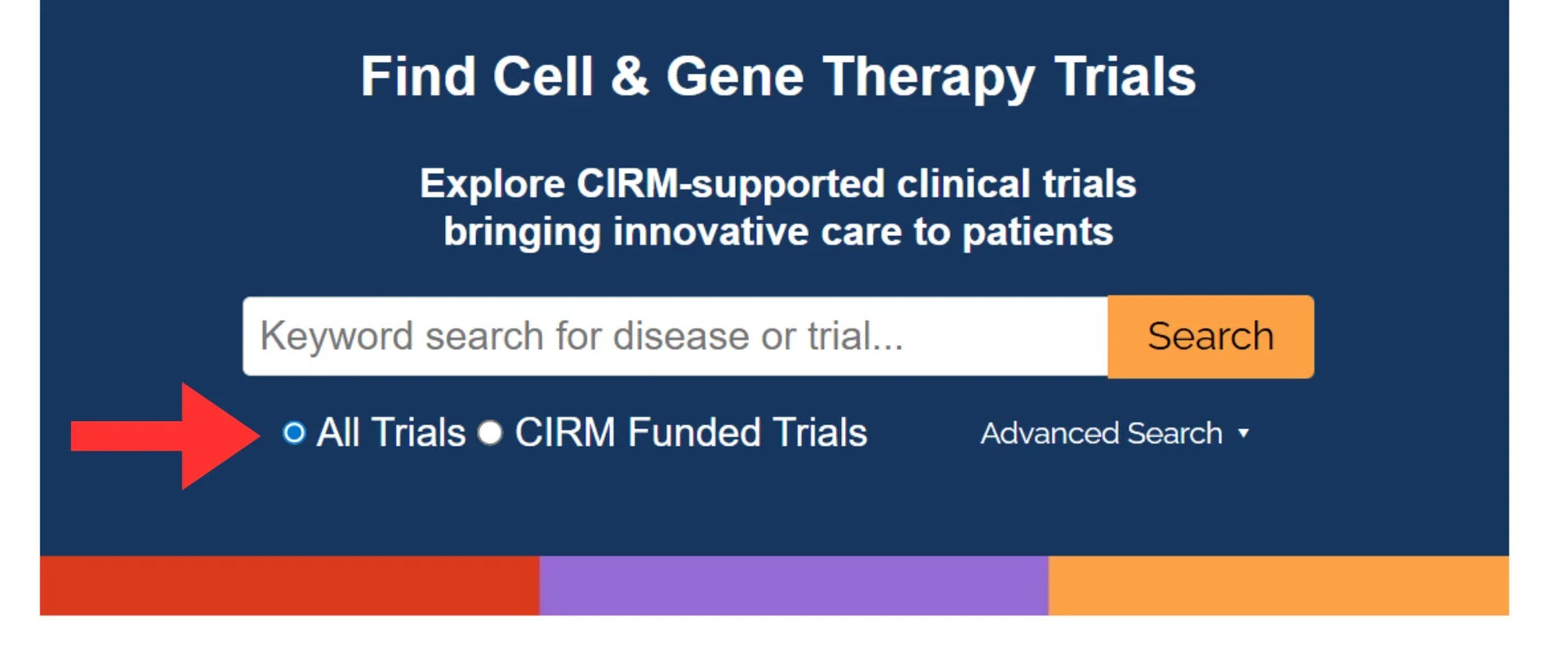
When you arrive on the search page, make sure you have all trials selected to ensure that you can view all active Alpha Clinic related trials. If you are interested only in the CIRM funded trials, you can select the "CIRM Funded Trials" option just note that this will give you fewer search results. In the keyword search, you can search for a specific condition or use the filter search mechanism when you scroll down, on the left side of your screen, to search by disease category.
Step 2
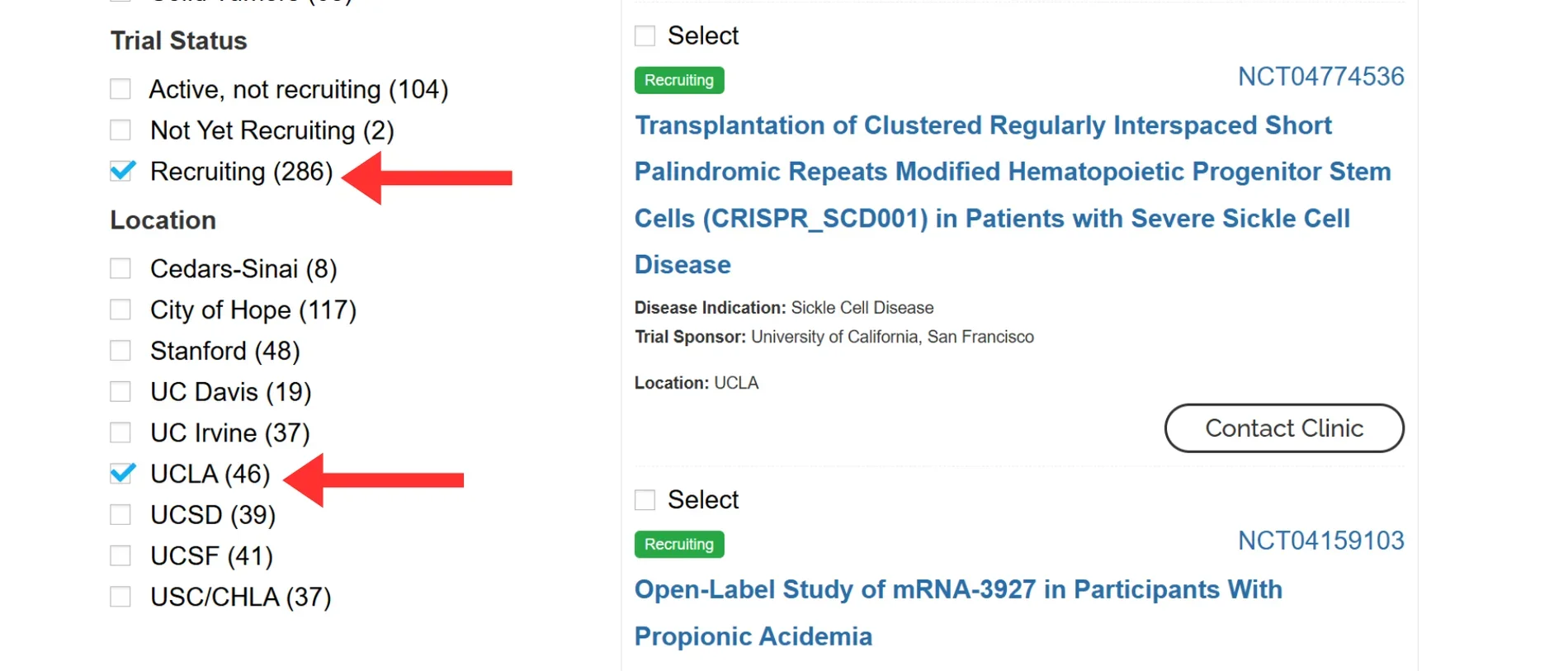
Scroll down and find the search filter options on the left side of your screen. If you are a patient searching for trials to enroll in, we recommend you filter by "recruiting" trials as these are the studies that are actively looking for people to be part of them. Of course, if you are interested in trials with other statuses such as "active, not recruiting" you can filter your search by checking these boxes instead. To find UCLA specific trials, check the "UCLA" box under "location" to further filter your search.
Step 3
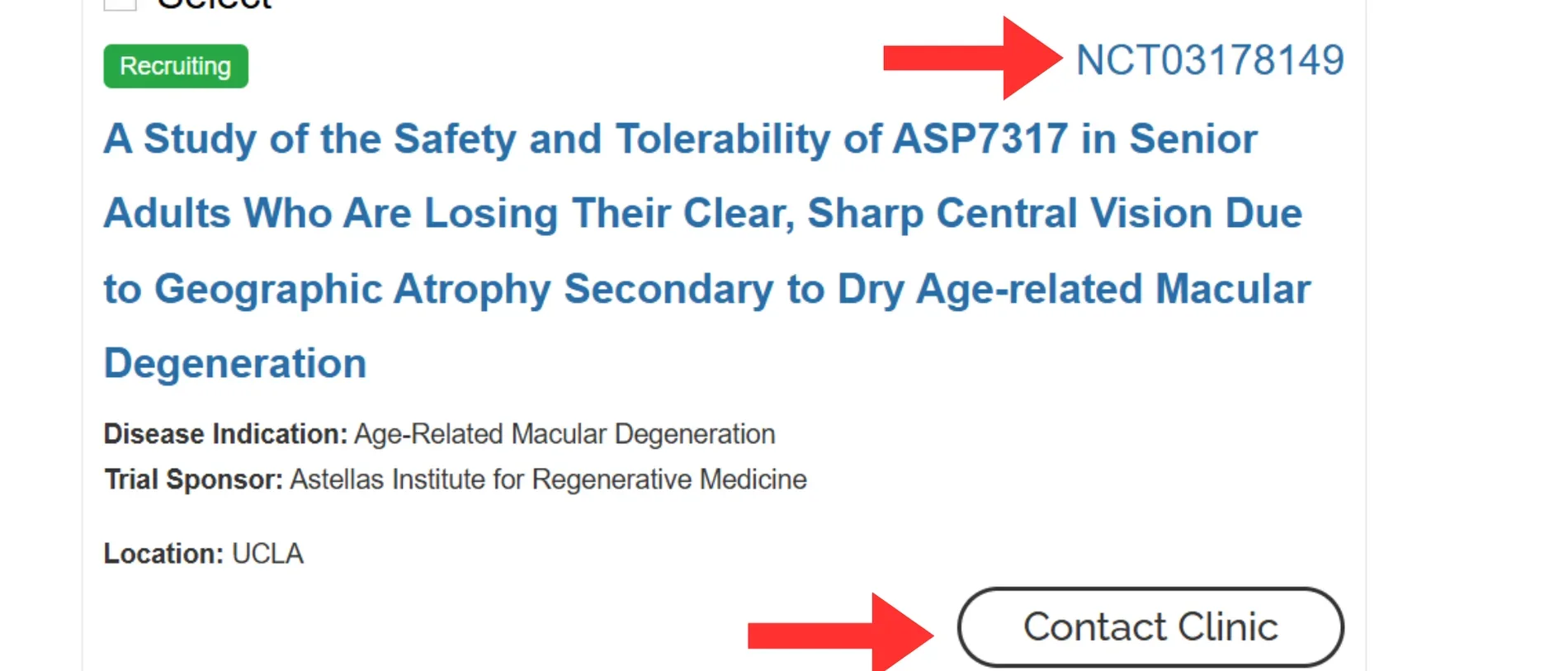
Once you find a trial of interest, you can click on the "contact clinic" button to find an email address to contact for next steps at enrolling in or finding out more information about that study. If you want a more detailed description of the study, you can click on the "NCT" number on the top right corner of a given study and you will be directed to the study's clinical trial.gov page. This is a clinician and government worker facing site that lists detailed information on clinical trials being run across the U.S. and internationally.
Other Active Clinical Trials at UCLA
To view more active clinical trials at UCLA, please visit our Clinical Trials Opportunities Page. On the page, you can see specific information for each trial, including a link to each trial's ClinicalTrials.gov page (via the NCT number). ClinicalTrials.gov is a registry and results database of publicly and privately supported clinical studies of human participants conducted around the world.